


Fillwords: Word Search Puzzles
4.92.04K Reviews
App Specs
- Version
- 1.69.7
- Updated On
- License
- Free
- Downloads
- 10,000,000+
- Developer
- Malpa Games
- Categories
- Word
- Platform
- Android, iOS
Screenshots
 Analysis by AppCompare
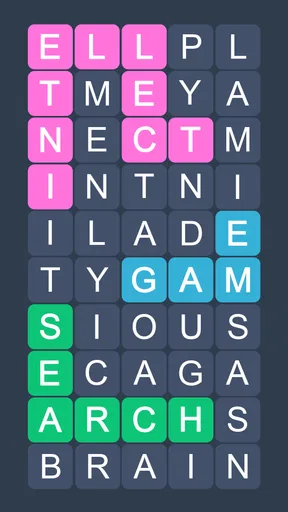
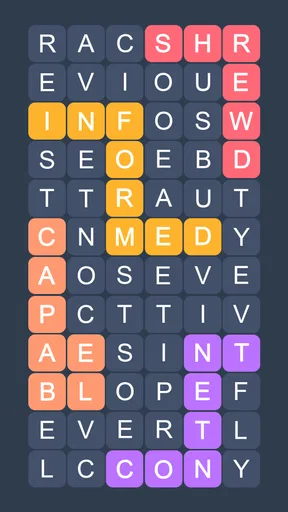
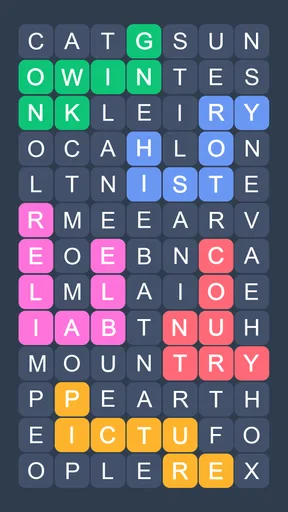
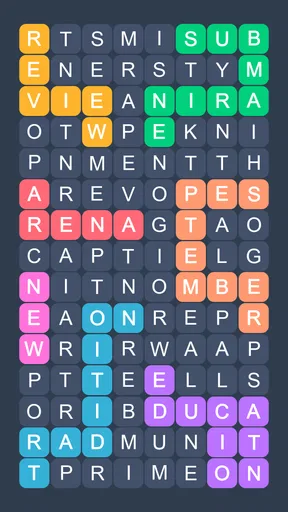
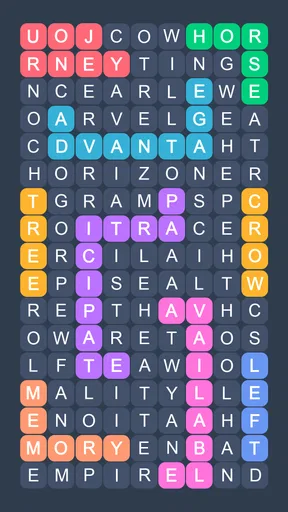
I like word games that give me a clear first step instead of asking me to learn a complicated system before I can enjoy them. Fillwords: Word Search Games is built around a familiar idea: scan a field of letters, spot a word, and connect its letters. That makes the first few minutes approachable, while the search itself can still hold my attention when I have only a short break.
It is a free word puzzle game from Malpa Games, with an average rating of 4.9 from around 425,000 ratings and more than 10 million installs. The game is for Everyone, and its current version is 1.55.27, with Android 8.0 as the minimum operating system. I would think of those figures as useful context rather than a promise that every player will enjoy the same pace or challenge.
What to expect from the word search
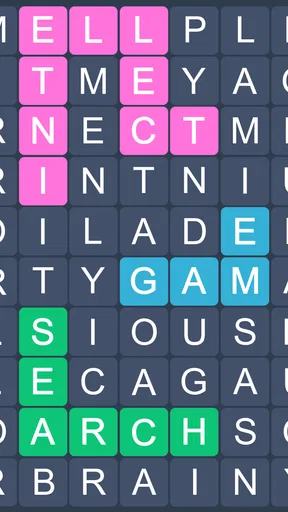
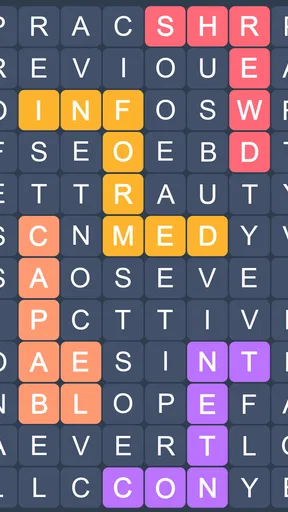
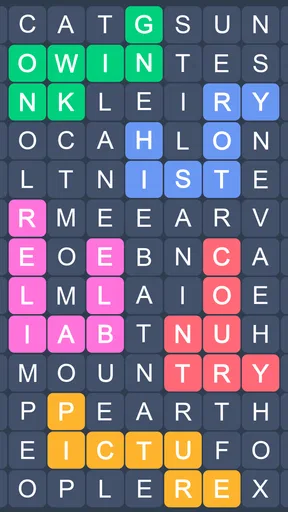
The basic activity is easy to grasp: look across a grid of jumbled letters and connect them to make words. The appeal, for me, is the shift from quick recognition to careful scanning. A short word may jump out right away; another can stay hidden because I keep reading the grid in the wrong direction. That little change in difficulty is what gives a simple mechanic room to stay engaging.
The game is described as playable offline, which makes it a sensible choice for a commute, a waiting room, or a quiet moment when I do not want to depend on a connection. I would still treat it as a solo puzzle first: the value is in focusing on the letters in front of me, not in needing a live opponent or a long session to get started.
Getting comfortable without overthinking it
On a first visit, I would begin by taking the grid one area at a time rather than trying to spot every word at once. I scan for familiar letter patterns, trace a possible word, and then reset my eyes before searching again. That simple rhythm makes the screen feel less cluttered and helps me avoid repeatedly checking the same obvious rows.
If I reach a point where nothing stands out, a hint can help me move on instead of turning a relaxing puzzle into a test of patience. I would save hints for a genuine stall, though. Trying a fresh scan first is more satisfying, and it lets me tell whether I am missing a pattern or simply need a nudge. For a first meaningful win, I would focus on completing one puzzle at my own pace, not on racing through several.
Where it fits—and where it may not
Compared with a crossword, this is less about recalling a definition or supplying a missing answer and more about visual recognition. Compared with a word game built around making words from a rack of letters, it asks me to search the board rather than plan a set of combinations. That is a useful distinction: if I want a low-pressure activity that works offline and gets going quickly, this style suits me; if I want clues, story, or deep strategic choices, I would choose another kind of puzzle.
Worth Reading Before You Choose

Flipboard Shows What News Apps Must Do Beyond the Feed

Switching to Android Auto Means Rethinking Your Driving Routine

Google Calendar Makes a Crowded Week Easier to Manage

Ludo King Makes the Most of the Minutes Between Plans

Baby Panda World Brings Quick Play to Modern Phones, but Its Game Library Feels Busy

ESPN’s Live Game View Makes Following Close Games Easier
There are also optional purchases, priced from $0.99 to $54.99 per item, so I would check any purchase prompt carefully and keep the free experience in mind before spending. A large selection of puzzles is appealing, but a familiar search mechanic can feel repetitive if I prefer every level to introduce a new rule. The strongest reason to keep playing is the calm, repeatable challenge—not a promise of constant novelty.
What Makes Fillwords So Addictive?
When I first downloaded Fillwords: Word Search Games, I was instantly hooked. The game revolves around finding hidden words in a grid of jumbled letters. The challenge is to connect the letters in any direction to form words, which sounds simple, right? But don’t be fooled! As you progress, the grids get larger and the words trickier to spot. It’s like a puzzle that keeps your brain on its toes.
The interface is incredibly user-friendly, with a clean design that makes it easy to focus on the task at hand. Navigating through the app is as smooth as butter, and the vibrant colors add a nice touch that keeps the experience lively.
Dive Into Endless Fun
One of the features I absolutely love is the endless number of levels. You can literally keep playing and challenging yourself without hitting a brick wall. And if you’re a competitive soul, the game offers leaderboards to track your progress and see how you stack up against other players. This adds a layer of competition that can turn a quick game into a full-blown challenge.
Another cool aspect is the daily challenges. These mini-games offer a fresh twist by giving you specific tasks to complete. It’s a fantastic way to shake things up and keep the gameplay exciting.
A Few Tips to Maximize Your Experience
To get the most out of Fillwords, try to play in short bursts rather than long sessions. This keeps your mind sharp and prevents burnout. Also, don’t hesitate to use the hint feature if you’re stuck. It’s there to help you out of those tricky spots and ensures you keep the fun rolling without frustration.
And here’s a little secret: try playing with friends. Not only does it make for a good laugh, but it also turns the game into a social activity. You’ll be surprised at how differently people’s minds work when it comes to spotting words!
Making a small break work for you
A realistic way I use this kind of puzzle is to open it while waiting for an appointment or after finishing a small task at home. I can complete a focused stretch, put the phone away, and return later without needing to remember a plot or a complicated strategy. For a commute, offline play is especially practical; I can start with no connection and treat each puzzle as a self-contained pause. I would avoid playing while walking or doing anything that needs attention, since scanning a letter grid naturally pulls my eyes onto the screen.
One useful habit is to change how I search when I feel stuck. Instead of sweeping the same rows again, I look for a distinctive first or last letter, then trace likely paths from that point. I also try to stop briefly after finding a word, because staring continuously at the grid can make its patterns harder to see. Those small resets make the game feel more relaxing and reduce the temptation to use a hint as soon as progress slows.
Who is likely to enjoy it?
I would recommend it to someone who already likes word searches, wants a simple offline activity, or prefers puzzles that can be picked up without a tutorial-heavy commitment. It can also suit a mixed-age household because its content rating is Everyone, although the best fit still depends on whether each person enjoys visual word puzzles. Playing alongside a friend can turn it into a casual “who spots it first?” activity, but I would treat that as a way to share the moment rather than assume the game is designed around formal multiplayer.
I would steer away from it if my main goal were to expand vocabulary through definitions, solve a narrative mystery, or compete through elaborate tactics. This is primarily a visual hunt for words. People who tire quickly of repeating a core mechanic may also prefer a collection of puzzle types instead. Knowing that before installing helps set fair expectations: its strengths come from accessibility and repetition, not from constantly changing the rules.
Small decisions that improve a first session
For a first-time player, I would keep the opening session deliberately simple: start with the first available puzzle, identify one word, and finish that board before deciding whether to continue. That first completion is a better test of the game than judging it from the opening screen or trying to rush through several levels. If the letters feel busy, pause and search in a consistent order; if a word refuses to appear, use a hint only after you have changed your scan pattern once.
It is also worth deciding what “progress” means to you. If you enjoy a personal routine, a daily challenge can provide a reason to return without turning every session into a long commitment. If you prefer playing spontaneously, the regular puzzles are enough to fill a spare moment. Leaderboards may appeal if comparing progress motivates you, but I would ignore them if a relaxed pace is the point. The useful choice is the one that keeps the puzzle enjoyable rather than making a small break feel like an obligation.
Because there are in-app purchases, I would approach any offer as optional and consider whether it solves a problem I actually have. The game is free to start, while individual purchases range from $0.99 to $54.99. I would not buy anything just to get past one frustrating word; first I would step away, return with fresh eyes, or use the hint available in the puzzle. That keeps spending separate from the basic question of whether I enjoy the search itself.
How it compares with other ways to pass the time
Against a standard printed word-search book, the app’s main convenience is having a puzzle on hand without carrying a separate book, and offline play makes it useful away from a connection. A paper puzzle may still be the better option if I want to avoid screen time, mark letters with a pen, or share one page with several people. Against crosswords, Fillwords asks for less knowledge of clues and more patience with visual patterns. Against fast word-building games, it is less about inventing combinations under pressure and more about noticing words already arranged in the grid.
That comparison also explains who may find it less compelling. If I want a new mechanic in every round, a deep solo campaign, or the tactile feel of solving on paper, I would pick something else. If I want a familiar search that can fit between errands and does not require a data connection to play, this is a more direct match. The game’s value depends less on novelty than on whether I enjoy repeating a clear, quiet task.
What to expect after the first win
Once I have completed an initial puzzle, I would try another at a different moment rather than immediately turning a small success into a long session. That gives me a better sense of whether I like the rhythm over time. The larger grids and trickier words mentioned as play progresses provide a reason to keep practicing, while daily challenges offer a different prompt when I want a change without switching to an entirely different genre.
There is no need to be an expert at word games to begin. The useful skill is patient scanning, and it improves naturally as I learn to notice letter sequences and vary my search direction. If a puzzle stops being enjoyable, taking a break is a reasonable choice; this is a leisure game, not a task that needs to be completed on a schedule. For me, that low-pressure approach is central to its appeal.
Wrapping It Up
All in all, Fillwords: Word Search Games is a fantastic way to keep your brain engaged while having loads of fun. Whether you’re a word game enthusiast or just looking for something new to spice up your downtime, this app is definitely worth a download. So, go ahead and give it a try. You might just find yourself addicted—and in the best way possible!
Pros
- Engaging and challenging puzzles.
- Intuitive and user-friendly interface.
- Wide variety of word themes.
- Offline play mode available.
- Regular updates with new levels.
Cons
- Occasional in-app ads can disrupt flow.
- Limited hints without purchase.
- Some puzzles may seem repetitive.
- No multiplayer mode.
- Initial loading can be slow.
FAQs for Fillwords: Word Search Puzzles
What is the main objective of Fillwords: Word Search Games?
Fillwords: Word Search Games is designed to challenge and entertain users by having them find hidden words within a grid of letters. The primary goal is to identify all the words from the provided list as quickly as possible, enhancing vocabulary and cognitive skills along the way.
How user-friendly is the interface of Fillwords: Word Search Games?
The interface of Fillwords: Word Search Games is intuitive and easy to navigate, making it accessible for players of all ages. With a clean design, users can effortlessly switch between levels and access settings. The app ensures a seamless experience, allowing players to focus solely on enjoying the game.
Are there any in-app purchases in Fillwords: Word Search Games?
Yes, Fillwords: Word Search Games offers in-app purchases. While the core game is free, users can buy additional features such as hints, ad removals, and exclusive word packs. These enhancements can enrich the gaming experience, though they are optional and not necessary to enjoy the game.
Is Fillwords: Word Search Games available offline?
Fillwords: Word Search Games offers offline functionality, allowing users to play without an internet connection. This feature is particularly beneficial for those on the go or in areas with limited connectivity, ensuring uninterrupted gameplay and continuous fun wherever you are.
Does Fillwords: Word Search Games offer different difficulty levels?
Yes, the game includes multiple difficulty levels to cater to a wide range of players, from beginners to word search experts. This ensures that everyone can find a level that suits their skills, providing a challenging yet rewarding experience as they progress through the game.


